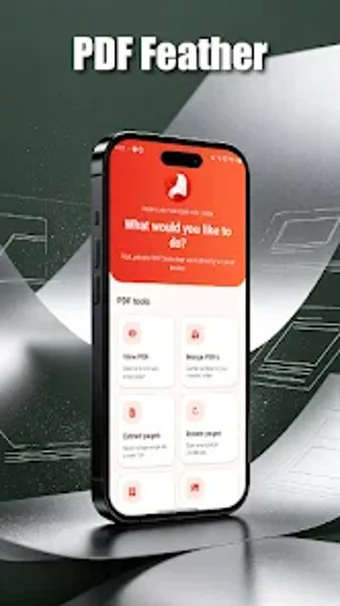
Lightweight Android PDF toolkit for quick page-level edits
Try PDF Feather by yesilikserap for concise PDF handling on Android devices, aimed at solving mobile document tasks. The app focuses on six core operations: viewing, merging, page extraction, rotation, watermarking, and image-to-PDF conversion for on-the-go edits. It exposes page-level tools and a compact installer footprint to keep operations fast. The target audience is students and professionals who need immediate, no-frills document manipulation while working from a mobile device.
What does PDF Feather do?
PDF Feather is a small utility that performs six specific PDF operations rather than full document editing. The app opens PDFs for reading, extracts and saves selected pages as new files, merges multiple PDFs into a single file, rotates individual pages, applies custom watermarks, and converts images from the gallery into PDF documents. Each capability addresses a common mobile workflow where page-level control matters more than text editing.
Does it slow down your system during operations?
The app is optimized for Android performance and keeps background impact low by focusing on discrete tasks. Because it does not run continuous services, file operations execute on demand, reducing persistent CPU and RAM use compared with larger suites. In practical terms, the workflow is immediate: open a file, perform the requested operation, and the app returns control without maintaining long-running processes.
Is it safe to use on a production device?
PDF Feather requests standard file-access permissions required to read and write documents, and actions operate on local copies when extracting or merging pages. The watermark feature writes a new PDF rather than modifying the original in place, which helps preserve source files during edits. These behaviours reduce the risk of accidental overwrites when working with important documents.
Do I need technical knowledge to operate it?
The interface is minimalist and task-focused, which suits users who need a short list of page-level tools without advanced editing controls. The absence of in-document text editing means users do not need to learn complex layout or typographic tools. Nevertheless, users who require granular text changes must use a separate editor, since the app purposely limits itself to structural and page manipulations.
Practical mobile tool with a clear limitation
PDF Feather is a practical option for students and professionals who need fast mobile document handling, because it concentrates on page-level tasks and keeps operations light. The main limitation is its lack of in-document text editing, which makes it unsuitable when you must change text content. For quick merges, extracts, or watermarking during travel or short sessions, the app fits the workflow well.